

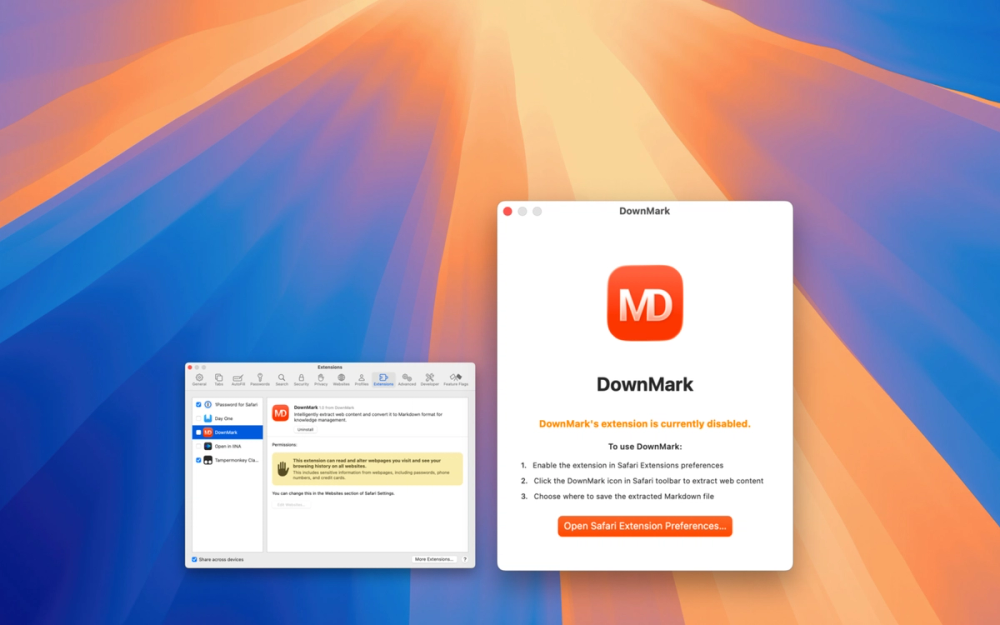

DownMark - Web-to-Markdown Converter for macOS
Transform your web content into perfect Markdown files with intelligent extraction and seamless macOS integration.
What is DownMark?
DownMark is a Safari browser extension designed for knowledge workers, content creators, and anyone who values efficient information management. Built exclusively for macOS, this tool converts web articles into clean, well-formatted Markdown files with just one click.
Key Features
Intelligent Content Extraction
- Smart Content Recognition: Automatically identifies main article content while filtering out advertisements, navigation bars, and sidebars
- Clean HTML-to-Markdown Conversion: Preserves article structure, headings, lists, and links with high accuracy
- Advanced Text Processing: Handles special characters, encoding issues, and complex webpage layouts
Native macOS Integration
- Safari Web Extension: Built using Safari Web Extension API (manifest v3) for optimal performance and security
- Instant File Saving: Automatically generates system save dialogs with smart filename suggestions
- Keyboard Shortcuts: Quick access via
Cmd+Shift+Mfor efficient workflow - Lightweight Performance: On-demand loading that doesn't impact browser speed
Perfect for Knowledge Management
- Standard Markdown Output: Creates clean, compatible
.mdfiles that work with any Markdown editor - Document Structure Preservation: Maintains headings, paragraphs, lists, and formatting hierarchy
- Future-Proof Format: Markdown ensures content remains accessible across platforms
- Easy Integration: Works seamlessly with note-taking apps and documentation systems
How It Works
- Browse: Navigate to any webpage in Safari
- Extract: Click the DownMark extension icon or press
Cmd+Shift+M - Process: Watch as the tool intelligently extracts and converts content
- Save: Save the formatted Markdown file to your desired location
Who Should Use DownMark?
- Researchers & Academics: Efficiently collect and organize reference materials
- Content Creators: Gather inspiration and reference content in standardized format
- Students: Build comprehensive study materials and reference libraries
- Knowledge Workers: Create searchable archives of important industry content
- Documentation Teams: Convert web resources into project documentation
Technical Details
System Requirements
- macOS with Safari browser
- Safari Web Extensions support
File Format
- Standard Markdown (
.md) output - Compatible with all major Markdown editors
- Clean, readable formatting
Privacy
- Local content processing
- No data collection or tracking
- Your browsing habits remain private
Pricing
One-time purchase: $4.99
Available exclusively on the Mac App Store for macOS users.
Get Started
Transform how you capture and organize web content. Download DownMark today and build your personal, searchable knowledge base with the simplicity and power of Markdown.
Perfect for anyone who wants to turn the web into their organized, offline knowledge library.