

LogoUtilPortal
  • Tools
  • Collection
  • Rankings
  • Category
  • Tag
  • Blog
  • Pricing
  • Submit
LogoUtilPortal

Newsletter

Join the Community

Subscribe to our newsletter for the latest news and updates

LogoUtilPortal

Explore, Access, Utilize

GitHubX (Twitter)
UtilPortal - Discover the best tools for every task | Startup FameBuilt withMkdirs LogoMkdirs
Product
  • Landing
  • Search
  • Collection
  • Category
  • Tag
Resources
  • AI Chat Tools
  • Blog
  • Pricing
  • Submit
Support
  • GitHub
  • Twitter
  • Email
  • Developer Blog
Company
  • Privacy Policy
  • Terms of Service
  • Sitemap
Copyright © 2026 Star Vista LLC. All rights reserved.
  1. Home
  2. Category
  3. Browse AI
Logo of Browse AI

Browse AI

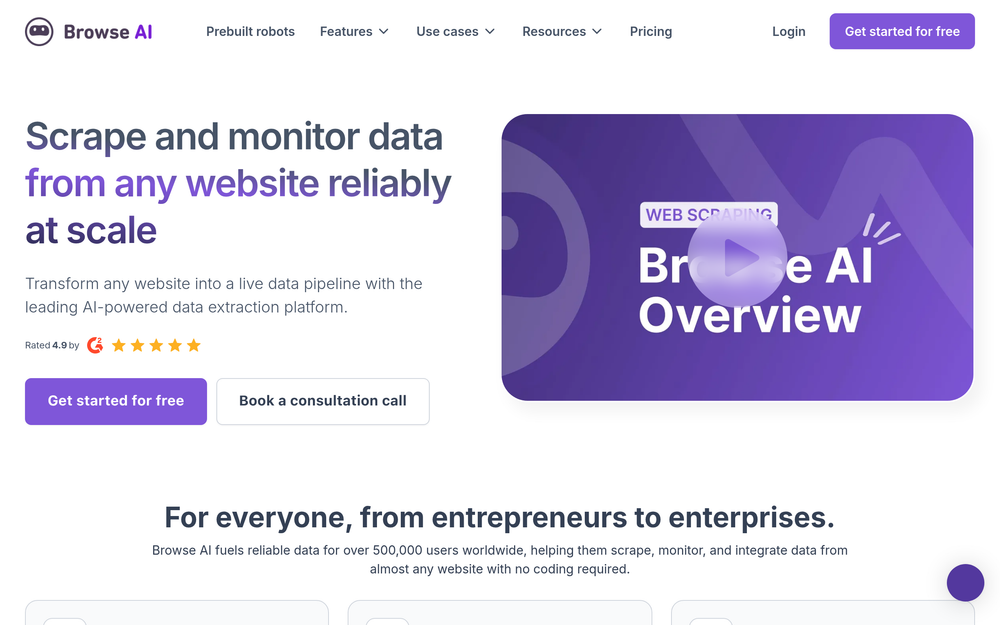
Browse AI is a web scraping platform that automates data extraction from websites. It allows users to extract structured data without coding by training robots to browse and extract data from any website. Users can monitor websites for changes, extract product data, real estate listings, or any other information, and integrate the extracted data with other tools via API or integrations.

Visit Website
Screenshot of Browse AI
Visit Website

Introduction

Related Videos

Browse AI Overview: 1-Minute Explainer Video
2:28

Browse AI Overview: 1-Minute Explainer Video

Browse AI · 2023/12/8

NaN
16
164
YouTube
How to Use Browse.ai (2025) | Browse ai Tutorial
2:28

How to Use Browse.ai (2025) | Browse ai Tutorial

Dani's Tutorials · 2024/7/10

NaN
3
25
YouTube
Browse AI Complete Tutorial l Scrape & Monitor Web Data (EASY)
2:28

Browse AI Complete Tutorial l Scrape & Monitor Web Data (EASY)

AI Simplified · 2023/6/23

NaN
10
218
YouTube
Webinar: Get Started with Browse AI
2:28

Webinar: Get Started with Browse AI

Browse AI · 2024/6/8

NaN
2
22
YouTube
Browse.ai Review - Turn Any Website Into An API | Apify Alternative
2:28

Browse.ai Review - Turn Any Website Into An API | Apify Alternative

SEO With Phillip Stemann · 2022/7/14

NaN
20
101
YouTube
Back

Information

  • Publisher
    frend guo
  • Websitewww.browse.ai
  • Published date2025/06/13

Categories

More Products

  • Automation
  • Data & Analytics

Tags

  • Web Scraping
  • no-code

Browse AI Launch Embeds

Use website badges to drive support from your community for your UtilPortal Launch. They're easy to embed on your footer.

UtilPortal badge

Roverd

AutomationProductivityE-commerce

Online booking for tour and activity operators. No monthly or setup fees: pay a small percentage only when you get a booking. Real people on support, 24/7.

audience-responseaudit-managementcalendar-sync+10

Stellar Launch

ProductivityMarketingUtilitiesEnhancementAI & MLData & Analytics

The all-in-one launch platform for startups. Get featured in top directories, earn quality backlinks, and reach customers who are actively looking for what you built.

SEOMarketinglead-generation+3

OpenClaw Direct Hosting

FinanceSupport & ChatbotsE-commerceData & AnalyticsHealthcareProductivityDesignMarketingContent CreationEducationUtilitiesNextJS BoilerplatesNuxt BoilerplatesSvelteKit BoilerplatesDjango BoilerplatesExpress BoilerplatesNodeJS BoilerplatesPHP BoilerplatesRuby on Rails BoilerplatesLaravel BoilerplatesReact BoilerplatesVue BoilerplatesSvelte BoilerplatesAstro BoilerplatesTypescript BoilerplatesReact Native BoilerplatesFlutter BoilerplatesExpo BoilerplatesSwift BoilerplatesKotlin BoilerplatesDeveloper ToolsInsightsGameEnhancementAutomationAI & MLIntegration

Run a private AI assistant without any infrastructure work. Sign up, paste your Anthropic API key, and connect via Telegram, WhatsApp, Discord, or Slack — your assistant is live in minutes.

aiAI Writingpersonal-productivity+10

Browse AI is an innovative platform designed to automate web data extraction, making it accessible to users without coding expertise. It simplifies the process of gathering structured data from websites, enabling businesses and individuals to leverage web data for various applications.

  • No-Code Automation: Automate data extraction without writing any code.
  • Website Monitoring: Track changes on websites and receive updates.
  • Data Integration: Seamlessly integrate extracted data with other tools via API.
  • Customizable Robots: Train robots to browse and extract data from any website.
  • Scalable Solution: Efficiently extract data at scale for various business needs.
How to Use
  1. Define Extraction: Specify the data you want to extract from a website.
  2. Train Robot: Train a robot to browse and extract the data.
  3. Automate Extraction: Schedule and automate the data extraction process.
  4. Integrate Data: Integrate the extracted data with your preferred tools via API or integrations.